
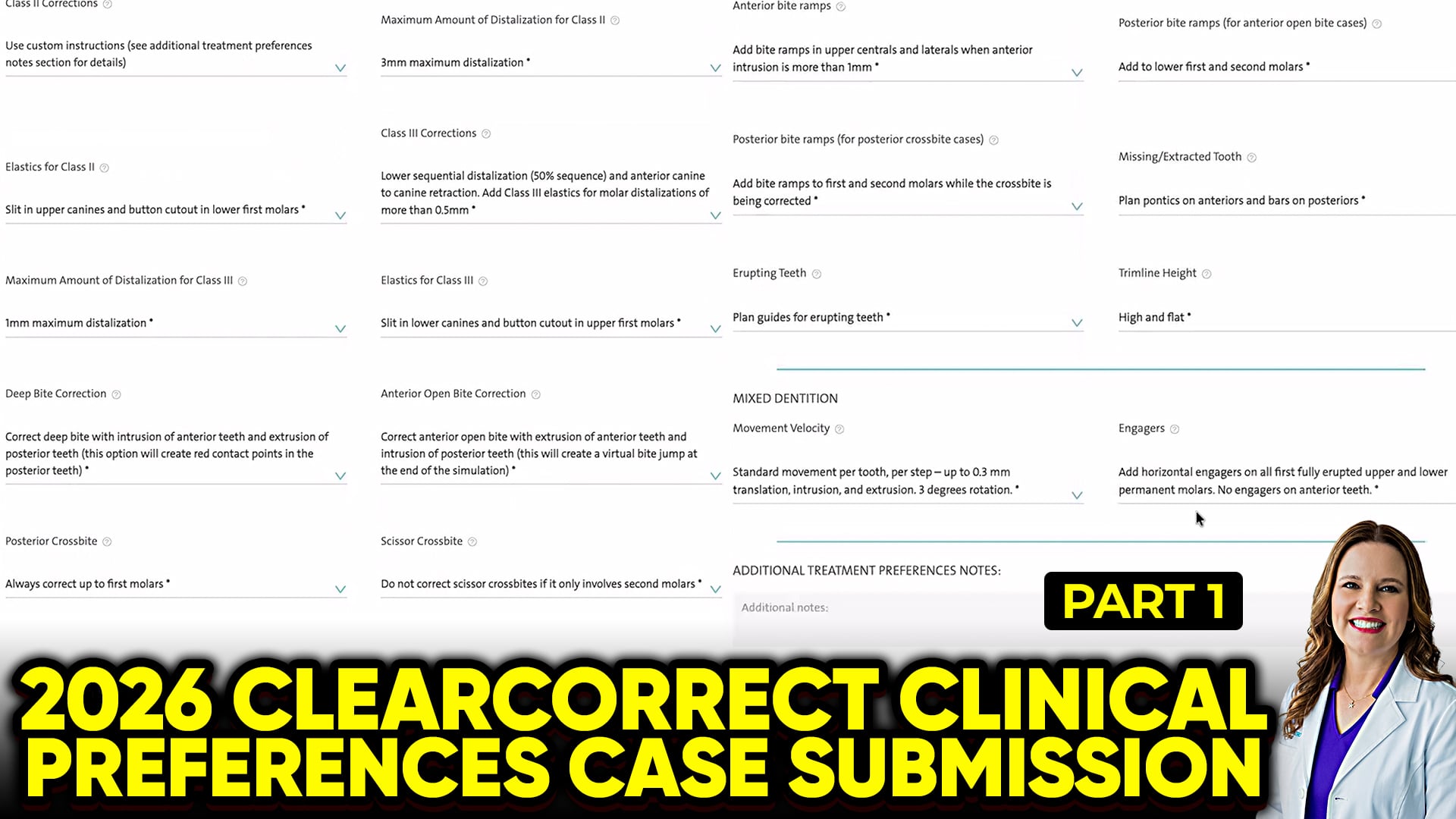
 This guide outlines essential steps for general and pediatric dentists configuring ClearCorrect clinical preferences to ensure predictable tracking and safer tooth movement. Unlike other digital systems that segregate workflows by patient demographics, the ClearCorrect platform lacks separate preset buckets for children, teens, and adult patients. Because biomechanical requirements drastically differ between growing and non-growing patients, doctors must be highly intentional when setting their universal account defaults.Movement Velocity and Tracking SafetyThe default movement speed within the platform is initially set to a higher threshold of three degrees of rotation per step. To minimize tracking errors, mid-course corrections, and unpredicted lag, clinicians should manually override this setting. Lowering the velocity threshold to two degrees per step mirrors standard clinical safety metrics and forces a slower, more stable biological pace. Although selecting the “reduce movement per step” option will inherently increase the total aligner count for a case, it creates a much more reliable tracking experience.Custom Instructions and Arch ModificationThe default platform logic automatically applies standard configurations for complex biomechanical changes, including upper posterior sequential distalization, deep bite correction, and crossbites. Relying on these automatic defaults can lead to clinical errors. Doctors should switch every major movement category—including class II or class III elastics, distalization parameters, open bites, and crossbites—to “Use Custom Instructions”. Furthermore, standardizing arch expansion from the second molar to the opposite second molar prevents a misshapen arch form and helps maintain natural anatomy.Mixed Dentition and Trim LinesWhen treating growing dental arches, managing erupting teeth requires double the programming oversight. Practitioners must toggle the velocity restrictions globally for the full arch, and then apply secondary manual reductions specifically for teeth that are actively erupting. Finally, the platform’s default high and flat trim line provides optimal retention and aligner grip for traditional cases. While a more scalloped, periodontal trim line option is available to shield delicate gingival tissues, utilizing it requires placing additional engagers or attachments to compensate for the reduction in plastic surface area.